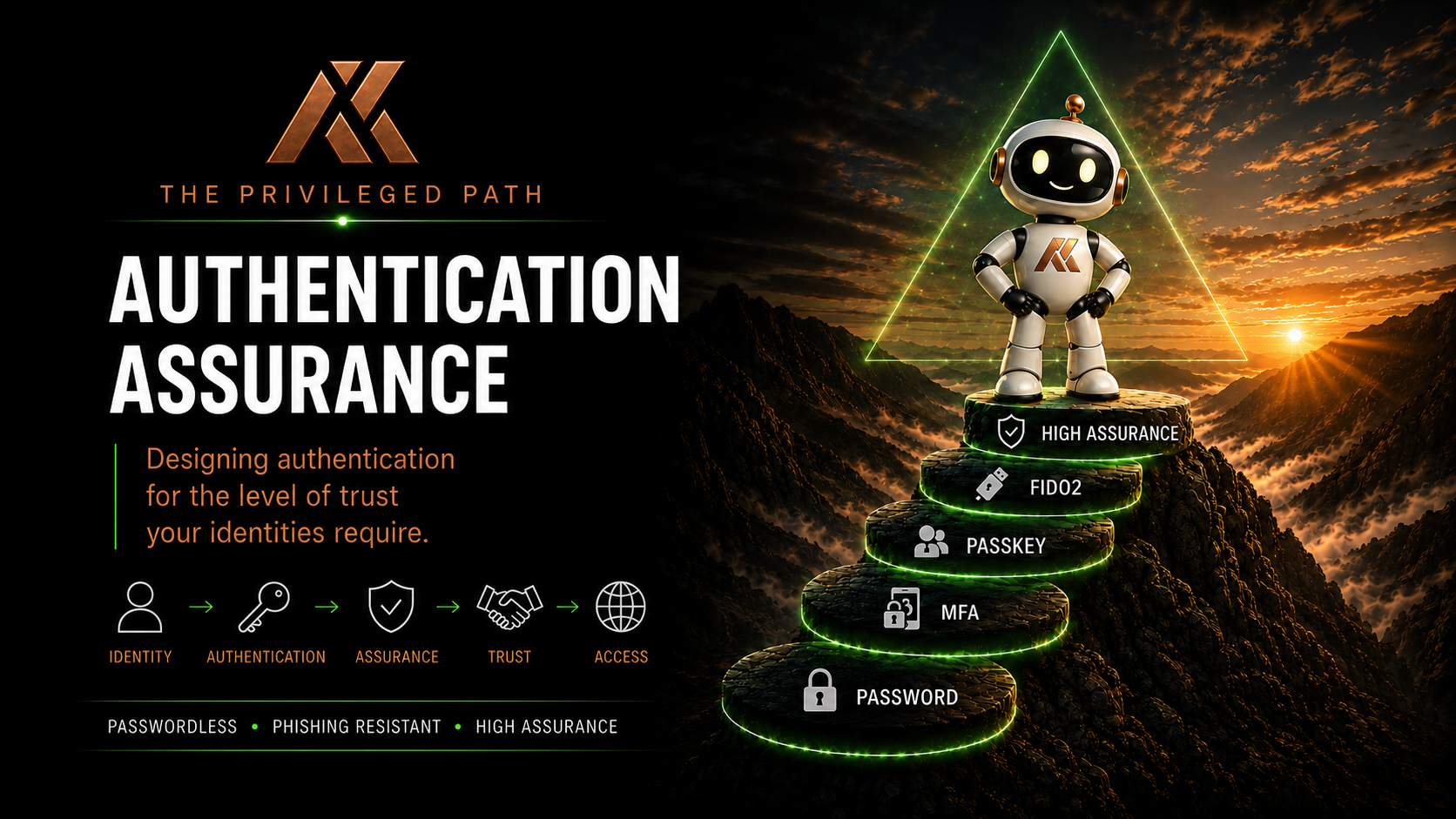
Choosing the Right Authentication for Each Trust Level
In the previous article, we explored why not all passkeys provide the same level of operational assurance.
A dedicated FIDO2 security key, a device-bound passkey and a synced passkey can all provide strong phishing-resistant authentication.
But that doesn’t mean they’re automatically appropriate for every identity.
That leads us to the next question:
How do we decide which authentication method is appropriate for which identity?
It would be easy to mandate the strongest authentication method available for everyone.
But that’s rarely practical.
Requiring every user in an organisation to carry a dedicated FIDO2 security key would certainly provide strong authentication, but it would also introduce cost, support overhead and unnecessary friction.
At the other extreme, allowing every identity to use the most convenient authentication method available could introduce operational risks that aren’t appropriate for highly privileged accounts.
The answer sits somewhere between the two.
Authentication should be proportionate to the level of trust placed in the identity.
This is where my Trust Level framework becomes useful.
From Trust Levels to Authentication Assurance
I’ve previously written about moving beyond traditional Tier 0 thinking and using a Trust Level framework for modern cloud privileged access.
In From Tier 0 to Trust Levels: Rethinking Privileged Access for the Cloud Era, I introduced a four-level model for classifying identities and administrative access according to their potential impact on the organisation:
- TL1 – Strategic Control
- TL2 – Service Administration
- TL3 – Operational Administration
- TL4 – Workforce
The Trust Level model isn’t an authentication framework in itself.
It’s a broader architectural approach for determining how much trust we place in an identity and, consequently, what controls should surround it.
Authentication Assurance is one of those controls.
Rather than starting with:
Which authentication method should we deploy?
We start with:
What are we protecting, and what happens if this identity is compromised?
A standard workforce identity and a Global Administrator shouldn’t automatically have the same authentication requirements.
The consequences of those identities being compromised are fundamentally different.
The greater the potential impact of an identity, the greater the level of assurance we should require before allowing that identity to authenticate.
So in this article, we’re going to take the existing Trust Level model and apply it specifically to authentication.
The question becomes:
What level of authentication assurance is appropriate for TL1, TL2, TL3 and TL4?
Trust Levels Are Technology Agnostic
Before we map authentication methods to the Trust Levels, there’s an important distinction to make.
Trust Levels are technology agnostic.
TL1 doesn’t mean “use a FIDO2 security key”.
TL4 doesn’t mean “use Microsoft Authenticator”.
The Trust Level describes the potential impact associated with an identity and the level of trust we’re placing in it.
We then design controls proportionate to that level.
Those controls might include:
- Authentication
- Privileged Access Workstations
- Conditional Access
- Privileged Identity Management
- Device compliance
- Administrative account separation
- Session controls
- Monitoring
- Access reviews
- Identity lifecycle controls
Authentication Assurance is therefore one component of the wider Trust Level architecture.
And the authentication technology we choose should reflect the assurance required at that level.
TL1 – Strategic Control
TL1 represents the identities capable of controlling the security boundary itself.
These are the identities where compromise could potentially result in compromise of the entire environment.
Typical examples include:
- Global Administrator
- Privileged Role Administrator
- Emergency Access accounts
- Other identities capable of materially changing the organisation’s identity or security controls
For these identities, my position is straightforward.
Use a dedicated FIDO2 security key.
Not a synced passkey.
Not the same authenticator routinely used by the user’s standard identity.
And preferably not an authenticator that’s being used across multiple administrative identities.
A dedicated physical security key specifically associated with that privileged identity provides something that’s particularly important at TL1:
Separation.
We know where the credential exists.
We know which authenticator is associated with the identity.
We can manage its lifecycle independently.
And we’re reducing the opportunity for an administrator to accidentally use a highly privileged credential during normal day-to-day activity.
This introduces additional operational overhead.
I think that overhead is justified.
If an identity can effectively control your tenant, convenience shouldn’t be the primary design consideration.
The objective at TL1 is:
Maximum assurance. Maximum separation. Minimum ambiguity.
Authentication is only part of that architecture.
A mature TL1 design might look something like:
Dedicated administrative identity + dedicated FIDO2 security key + PAW + PIM + restrictive Conditional Access
Each control reinforces the others.
TL2 – Service Administration
TL2 contains powerful administrative identities responsible for major platforms and services.
Examples might include:
- Exchange Administrator
- SharePoint Administrator
- Teams Administrator
- Intune Administrator
- Other high-impact service administrators
These identities can still have significant organisational impact.
An Exchange Administrator, for example, may have extensive control over one of the organisation’s most important communication platforms.
But the potential blast radius is generally different from an identity capable of controlling the entire identity platform.
This is where the authentication decision becomes more nuanced.
If budget and operational maturity allow it, I would still prefer dedicated FIDO2 security keys.
They provide excellent separation.
They’re predictable.
Their lifecycle is easy to understand.
And there’s very little ambiguity about where the privileged credential exists.
But is a dedicated FIDO2 key always essential at TL2?
Not necessarily.
A device-bound passkey, such as a passkey in Microsoft Authenticator, may provide an entirely appropriate level of assurance depending on the organisation and the role.
This is where architecture becomes a balancing exercise.
You’re considering:
- Potential impact
- Cost
- Administrative scale
- Device management
- Operational complexity
- User experience
- Regulatory requirements
- Organisational risk appetite
For a relatively small group of Exchange, SharePoint or Intune administrators, dedicated FIDO2 keys may be an easy decision.
For a large, geographically dispersed administrative population, the organisation may determine that device-bound passkeys provide sufficient assurance.
That’s a perfectly reasonable architectural decision.
The important thing is understanding the trade-off.
TL2 is where dedicated FIDO2 remains my preference, but where a well-controlled device-bound passkey can become a legitimate alternative.
TL3 – Operational Administration
TL3 represents identities used for routine operational administration.
The obvious example is the Helpdesk.
These administrators might perform activities such as:
- User administration
- Password resets
- Authentication method management
- Device support
- Group administration
- Limited service administration
These identities still hold privilege.
But if we’ve designed our role model correctly, their potential impact should be considerably lower than TL1 or TL2.
This is where device-bound passkeys become particularly compelling.
Microsoft Authenticator passkeys can provide strong phishing-resistant authentication without requiring every operational administrator to carry another physical security key.
Could you issue dedicated FIDO2 security keys to TL3 administrators?
Absolutely.
Would that provide additional separation?
Yes.
If you have the budget and operational capability to do that, there’s nothing wrong with taking that approach.
But security architecture has to acknowledge operational reality.
Imagine an organisation with hundreds of Helpdesk administrators spread across multiple countries.
Issuing, replacing, recovering and managing dedicated hardware security keys for every operational administrator introduces additional cost and operational complexity.
The question becomes:
Does that additional complexity provide enough additional assurance for the level of privilege involved?
Sometimes the answer will be yes.
Sometimes it won’t.
For many organisations, a device-bound passkey on an appropriately managed device provides an excellent balance at TL3.
The important thing is that we’re still requiring strong phishing-resistant authentication.
We’re simply accepting a different level of operational separation than we require at TL1.
TL4 – Workforce
TL4 represents the majority of identities within the organisation.
These are standard workforce identities without administrative privilege.
Here, our priorities shift again.
We still want strong authentication.
We still want phishing resistance.
But usability, adoption and recoverability become increasingly important.
This is where modern passkeys really shine.
Depending on organisational requirements, appropriate authentication methods might include:
- Microsoft Authenticator passkeys
- Platform passkeys
- Synced passkeys
- Windows Hello for Business
- FIDO2 security keys where appropriate
- Other supported phishing-resistant authentication methods
For standard workforce identities, synced passkeys can provide an excellent experience.
A user can replace their phone, move between trusted devices and continue using modern passwordless authentication without repeatedly registering credentials.
The operational concern we discussed for TL1 identities carries considerably less impact here.
That’s an important point.
The technology hasn’t necessarily changed.
The level of assurance required has.
Authentication Assurance Should Increase With Impact
The principle behind the model is intentionally simple.
As potential organisational impact increases, authentication assurance should increase with it.
A conceptual mapping might therefore look like this:
| Trust Level | Typical Identities | Authentication Approach |
|---|---|---|
| TL1 – Strategic Control | GA, PRA, Emergency Access | Dedicated FIDO2 security key |
| TL2 – Service Administration | Exchange, SharePoint, Teams, Intune Admin | Dedicated FIDO2 preferred; device-bound passkey where justified |
| TL3 – Operational Administration | Helpdesk and operational administrators | Device-bound phishing-resistant passkey; FIDO2 where appropriate |
| TL4 – Workforce | Standard users | Passkeys, including synced passkeys where appropriate |
This isn’t intended to be a rigid standard.
It’s an architectural starting point.
Your organisation may decide that a particular role belongs at a different Trust Level.
You may also decide that the authentication requirements within a Trust Level need to be stronger because of regulatory requirements, organisational risk or the sensitivity of the environment.
That’s fine.
The important thing is that the decision is deliberate.
Don’t Confuse Role With Trust
There’s a trap worth avoiding here.
A Microsoft Entra role doesn’t automatically determine its Trust Level.
Context matters.
An Exchange Administrator in one organisation may have enormous operational influence.
In another organisation, administrative scope may be heavily constrained and the role may only be available through PIM for very specific activities.
Custom roles make this even more important.
A role name doesn’t necessarily tell you everything an identity can do.
Trust Levels should therefore be based on potential organisational impact, not simply the name of the role.
Ask:
What could this identity actually do if it were compromised?
That’s a much more useful security question than:
What is this role called?
The Device Matters Too
Authentication doesn’t happen in isolation.
A phishing-resistant credential used from an unmanaged everyday workstation isn’t necessarily providing the same overall level of assurance as the same credential used from a hardened Privileged Access Workstation.
That’s why the Trust Level framework extends beyond authentication.
For example:
TL1
A mature TL1 architecture might require:
- Dedicated privileged identity
- Dedicated FIDO2 security key
- Privileged Access Workstation
- PIM activation
- Restrictive Conditional Access
- Strong monitoring and alerting
TL2
Depending on organisational requirements:
- Dedicated privileged identity
- FIDO2 security key or device-bound passkey
- PAW or appropriately controlled administrative environment
- PIM activation
- Conditional Access
TL3
Potentially:
- Separate administrative identity
- Device-bound passkey
- Managed and compliant device
- Least-privilege role assignment
- PIM where appropriate
TL4
Typically:
- Standard workforce identity
- Modern phishing-resistant authentication
- Managed corporate device where required
- Appropriate Conditional Access controls
The authentication method is therefore one signal within a much broader trust decision.
Budget Is a Valid Architectural Constraint
Security discussions sometimes pretend budget doesn’t exist.
It does.
If you can provide dedicated FIDO2 security keys to every privileged administrator, excellent.
I’d encourage it.
But an organisation with hundreds or thousands of operational administrators may decide that dedicated keys are justified for TL1 and TL2 while device-bound passkeys provide sufficient assurance for TL3.
That doesn’t automatically make the architecture insecure.
It means the organisation has evaluated:
- Impact
- Risk
- Cost
- Usability
- Operational complexity
- Administrative scale
and made an informed decision.
That’s what good security architecture should do.
The important part is understanding and documenting the trade-off.
A lower-cost solution shouldn’t simply happen by accident.
It should be an explicit architectural decision based on the assurance required.
Authentication Assurance Is About Proportionality
This is ultimately the principle I want this series to reinforce.
Authentication Assurance isn’t about deploying the strongest possible authentication method everywhere.
It’s about applying the appropriate level of assurance to the identity being protected.
For TL1, that means I’m willing to introduce additional friction in exchange for separation and certainty.
For TL2, dedicated FIDO2 remains my preference, but there may be circumstances where a device-bound passkey provides an acceptable balance.
For TL3, device-bound passkeys can provide strong phishing-resistant authentication without introducing unnecessary operational complexity.
For TL4, usability and adoption become increasingly important, making technologies such as synced passkeys extremely valuable.
The controls change because the consequences change.
That’s the point of the Trust Level model.
The right authentication method for the right identity at the right level of trust.
What’s Next?
We’ve now defined what we want our authentication architecture to look like.
But architecture on paper doesn’t protect anything.
We need to enforce it.
In Part 6, we’ll look at Authentication Strengths in Microsoft Entra and how they can be combined with Conditional Access to translate Authentication Assurance and Trust Levels into enforceable technical controls.
We’ll move from:
“TL1 identities should use high-assurance authentication.”
to:
“TL1 identities can only authenticate using the methods we’ve explicitly approved.”
That’s where Authentication Assurance moves from an architectural principle to a technical control.
Comments
No comments yet — be the first to leave one below.